


Virto Workflow Automationfor SharePoint On-Premises
Runs on SharePoint Server, where SharePoint 2013 workflows keep working — Microsoft retired them in SharePoint Online on April 2, 2026.
Key features:

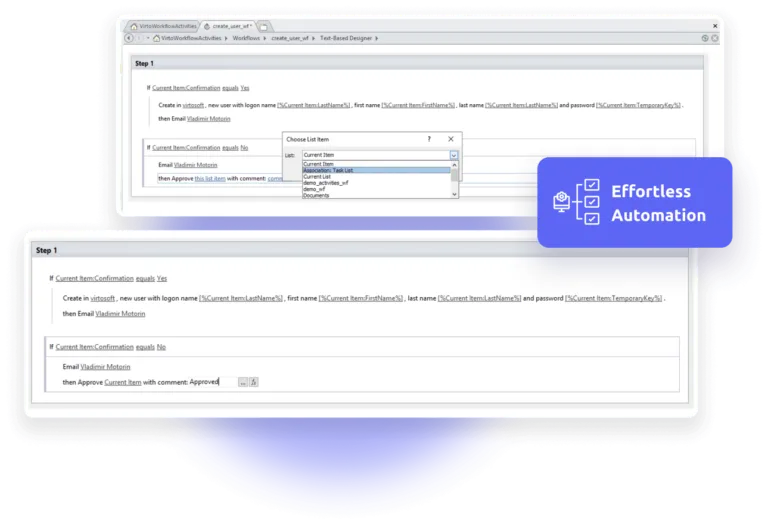
270+ ready-made workflow activities
Approvals, file operations, email and SMS, and task actions for SharePoint Designer, without code.

Every running workflow in one list
Workflow Status Monitor shows what is in progress or failed across sites, so problems get fixed.

Workflows that start on their own
Workflow Scheduler starts workflows by date, time, item, event or field value.
Trusted by Industry Leaders


and over 8,000 businesses worldwide
Moving to SharePoint Server Subscription Edition?
Microsoft ended support for SharePoint Server 2016 and 2019 on July 14, 2026. Virto Workflow Automation runs on Subscription Edition: the current build is version 6.1.9. While your updates and support are active, moving your licence costs 25% of the full licence price; once they have ended, it takes a new licence. Tell us about your farm and we will plan the move with you. Which Virto products run on SE
What's inside
Virto SharePoint Workflow Activities
Extend SharePoint Designer workflows with 270+ activities for email, SMS, lists, documents, permissions, Active Directory and more, on both the SharePoint 2010 and 2013 workflow platforms.
Virto Workflow Status Monitor
Monitor all active workflows from any site, site collection, or farm — track status, spot errors, and optimize for performance through a single dashboard.
Virto Workflow Scheduler
Automate workflow initiation with a flexible scheduler. Set triggers by date, time, item, event, or SharePoint field value — and run workflows automatically.
Sized to fit your business
Choose the perfect plan to match your business needs.
Pro
50% discount from the second year
Request- Help & learning content
- Global web ticketing support
- Up to 72 hours of response time
- One support contact
Enterprise

For large organizations needing advanced features and enterprise-grade security and controls.
- All Pro plan features
- Priority support
- Microsoft Teams support sessions
- Technical account manager
- Up to 24 hours of response time
- Unlimited number of support contacts
- Customer success manager
- Consulting sessions
Need your IT team's approval?
Send them the brief: what runs in your farm and what leaves it, how the products install, security testing and cost.
Good to know
Installation and documentation
Setup steps, video guides, FAQs and troubleshooting articles in our documentation.
Documentation →Perpetual licence
Yours to keep. The first year of updates and support is included, then renews at 50% of the price.
Moving to Subscription Edition
Moving your licence to SharePoint Server Subscription Edition, or to another SharePoint version, costs 25% of the full licence price while updates and support are active. Once they have ended, you buy a new licence.
Your data
The web part runs inside your SharePoint farm; your content stays on your servers.
Trust & Security Center →Discounts and quotes
15% off for education, healthcare and charities; custom quotes for larger organisations.
Talk to sales →
The pricing outlined herein is valid only as to new purchases occurring on or after June 1, 2024. VirtoSoftware reserves the right to adjust its packaging and pricing at any time.
Talk to our team
Need clarity on our app's suitability for you? Set up a quick call with us or chat via Microsoft Teams chat to explore its potential for your needs.


